
***Update 3/23: Remind is having a Spring Giveaway for Teachers!! Win $75, a Tshirt, and a poster for your classroom! Enter to win here: http://woobox.com/g8b2ze/e99gs4***
I'm a busy parent and even though I AM a teacher, I admittedly scan emails sent from my child's teacher and I occasionally miss important things! There! I admit it! I'm NOT perfect! I'm ok with saying that here, because the chance of my husband reading this is absolutely 0.00001%!
I'm a busy parent and even though I AM a teacher, I admittedly scan emails sent from my child's teacher and I occasionally miss important things! There! I admit it! I'm NOT perfect! I'm ok with saying that here, because the chance of my husband reading this is absolutely 0.00001%!
I know what it's like to work all day, shuttle kids from one place to another, cook dinner, do homework, and try to balance it all while staying sane! If long, wordy emails could just be simplified... and maybe if they were a text that I could read quickly- that would be better!
The flip side of that- I can be in the middle of cooking dinner when I realize, "Ohh no!! I forgot to remind parents about picture day tomorrow!!" In the time that it would take me to find my laptop, sing in to my school email, and write an email...my family's dinner is charcoal!
Well the masterminds behind Remind (formerly known as Remind101) have solved this problem for parents and teachers everywhere! ...and I'm a BIG fan!! It makes my life as a parent and a teacher so much easier!! ...ohh and did I mention that your cell number is never shared with parents and their numbers aren't shared with you either! Genius!
Here's how it works:
- Go to www.remind.com and set up a free account!
- You will set up a class code and you can even download instructions to print and send home to parents! I usually include this in my packet given at Meet the Teacher Night! (Click here to see other ways I incorporate technology into this night!) They have a handout right on the main screen that you can download. It gives parents all the info they need to know! You can also visit Teachers Pay Teachers for about 70 different versions of parent handouts and reminder cards to send home with directions for parents! The one from Remind isn't very cute and I like cute! So I usually use one from TPT! :) But here is the one from Remind...

- Once you have your account set up, your parents invited to subscribe, you can download the app on your cell phone, ipad, etc. It looks like this...
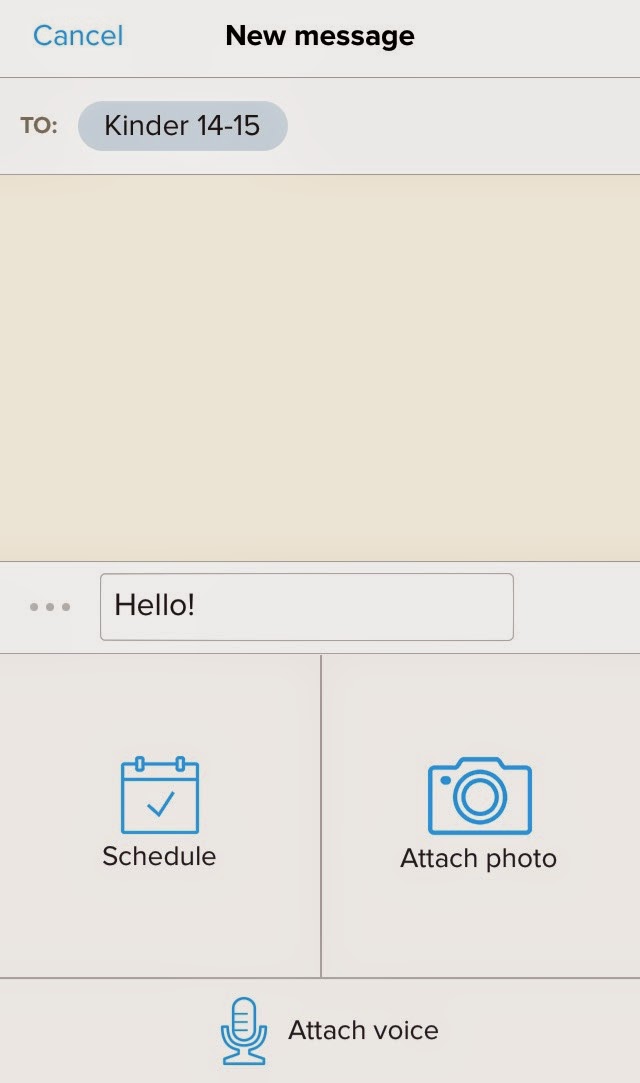
Very user friendly! You click "to" and select the group you want to
text (so this is great for teachers who teach more than one class and
may need to connect or relay different information to different groups
of parents/students), type your message, attach a picture or voice memo if you would like, and your done! You can hit "send" OR you can SCHEDULE the text to send on a certain DATE and TIME!!! So when I send home a permission slip for a field trip, I go ahead and schedule a text to be sent out the day before (2 weeks in advance!!). I can do it while it's fresh on my mind! Again...genius!! Below you can see, I keep them short and simple! A reminder about picture day from back in September and a personal little "happy" that I sent to parents this morning! We woke up to 4 inches of snow and ice in North Texas, so school was canceled today! -My kinder friends LOVE seeing pictures of my baby boy! ;)


Have you used Remind before!?


